THE GOLDEN KEEP WORLD · REAL-TIME STRATEGY
The Golden Keep:
Forces of Darkness
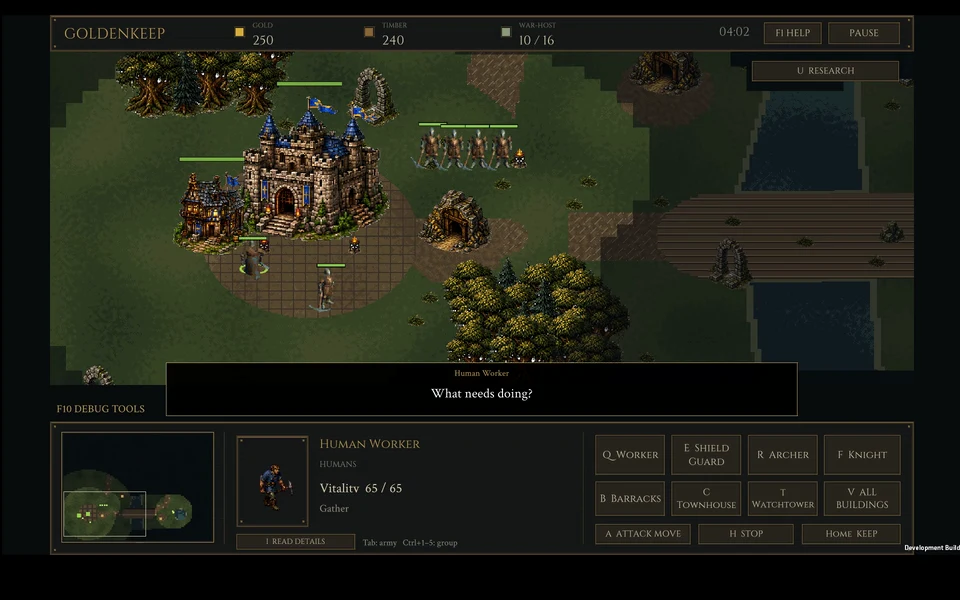
Build a settlement and lead Humans, Orcs, Gargoyles or Black Dwarves into battle. Follow your people inside their buildings, train specialists, equip individuals and find a strategy that belongs to your race.
Version 0.9.10-world-camps.6 · Native desktop demo · Windows and Linux
Windows
Download the ZIP and choose Extract All. Open the extracted folder and launch Goldenkeep.exe. Keep its data and runtime files in the same folder.
Linux
Extract the tar.gz into a new folder. Open a terminal there and run:
bash "Play Goldenkeep.sh"
These are downloadable games; no browser-play version is included.
Play a multiplayer match
Both players: download the same version above, extract it, launch the game and open Multiplayer. Start on the same local network; remote players need a shared VPN or another reachable host address.
- Host: choose Host a Match with TLS encryption on. Select your LAN or VPN invitation address, then Copy Room Invitation and share it privately with your opponent.
- Guest: copy the complete invitation, choose Paste Room Invitation, then Join Host.
- Choose your races and both select I Am Ready. The host selects Begin Battle.
This is a development candidate. A physical two-computer match and player acceptance are still pending.
Build information
These permanent download links always select the current approved desktop demo. Extract into a new folder when updating. Previous version archives remain available on the release history.